

Most people who want a custom AI model for a side project stall in the same place. The tutorials assume a serious GPU sitting in your desktop, the cloud platforms bill per GPU-hour with no ceiling, and the free tiers cap you below the model sizes that are actually good.
Lite is $10 a month. It exists to get a hobbyist or an indie dev from "I want to try this" to a trained model running in their own project, without owning thousands of dollars of hardware and without an open-ended bill. The training still happens on real GPUs, managed on Ertas cloud infrastructure. The point is that they do not have to be yours.
Here is what that buys, with real projects built on it, and an honest account of where it stops.
What an Indie Project Actually Looks Like
This is Chatty Valley, a Stardew Valley mod that replaces one villager's fixed dialogue with a small model trained to stay in character. It runs on the player's own machine with no API key and no per-message cost.
That is the shape of work Lite is priced for. One character, one dataset, a handful of training runs to get the voice right, then export and ship.
The hardest part of that project was never the GPU. It was the iteration: getting the character to refuse a false premise, keeping it from agreeing with everything, and stopping it breaking role twelve messages into a conversation. Those are training-loop problems, and they are what the credits get spent on.
Try a Fine-Tuned Character in Your Browser First
If you want to see what a small fine-tuned character model feels like before paying for anything, Corporate Goblin runs entirely in your browser at playground.ertas.ai. No signup and no server: the model downloads and runs on your own machine through WebAssembly.

It is a useful calibration exercise. A 230M model with a tight persona dataset holds character better than most people expect, and it tells you how much model you actually need before you spend credits finding out.
The Four Walls $10 Removes
Free is a real plan and you should start there. These are the four limits that make people leave it.
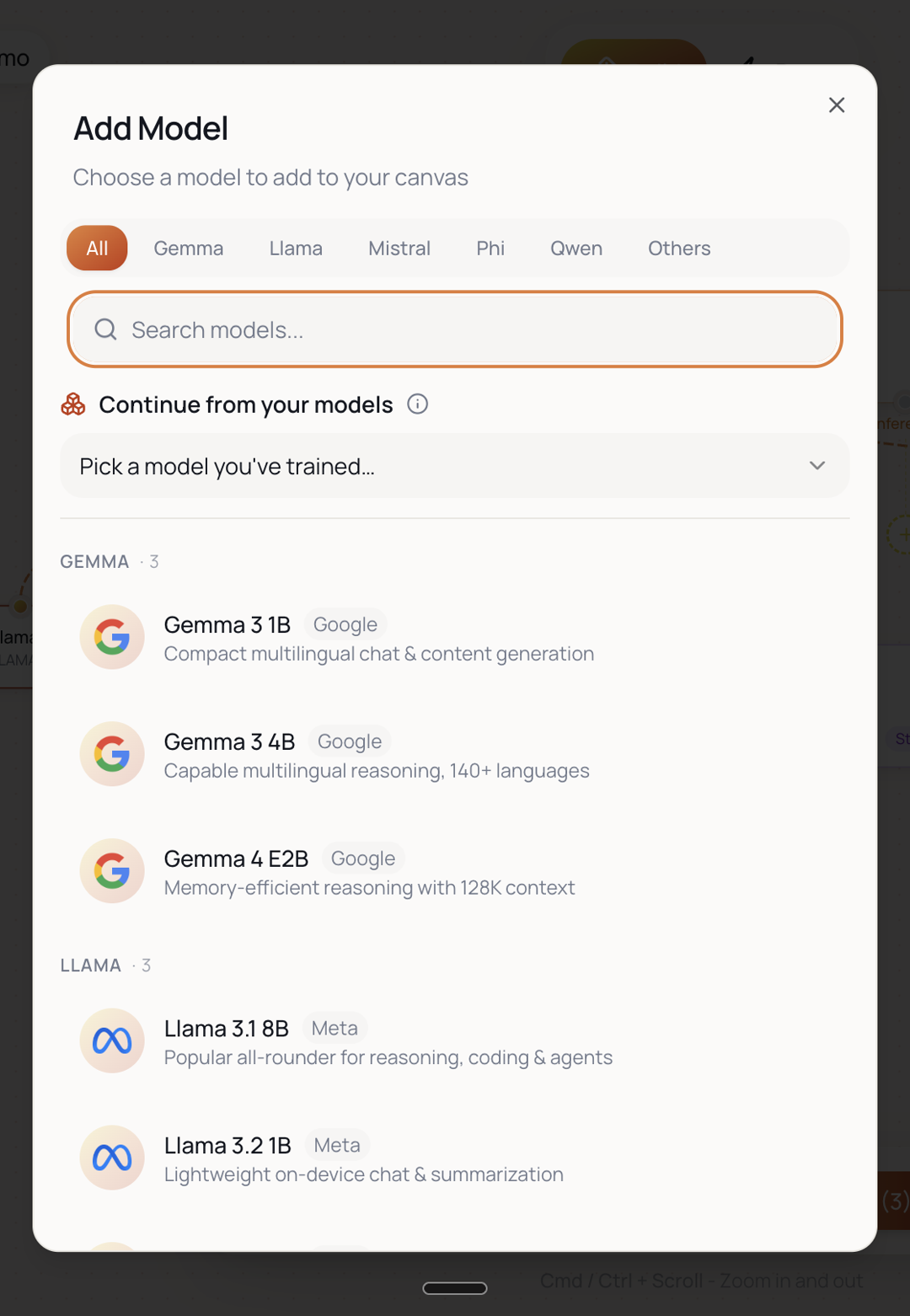
1. Models over 5B, including Gemma 4 E2B
Free caps you below 5B parameters. Lite takes you to 14B, the same model ceiling as Builder and every tier above it.
The most useful model to know about here is Gemma 4 E2B. The "E2B" name means "effective 2B", which describes its inference compute rather than its training footprint. The actual parameter count is 5.12B, which puts it just over the Free plan's line. It is a memory-efficient model with a 128K context window and one of the better starting points for a character or assistant model. Free cannot train it. Lite can.
Qwen 3.5, Llama 3 and the rest of the mid-size catalog sit in the same band.
2. Higher-tier GPUs, so runs finish while you are still working
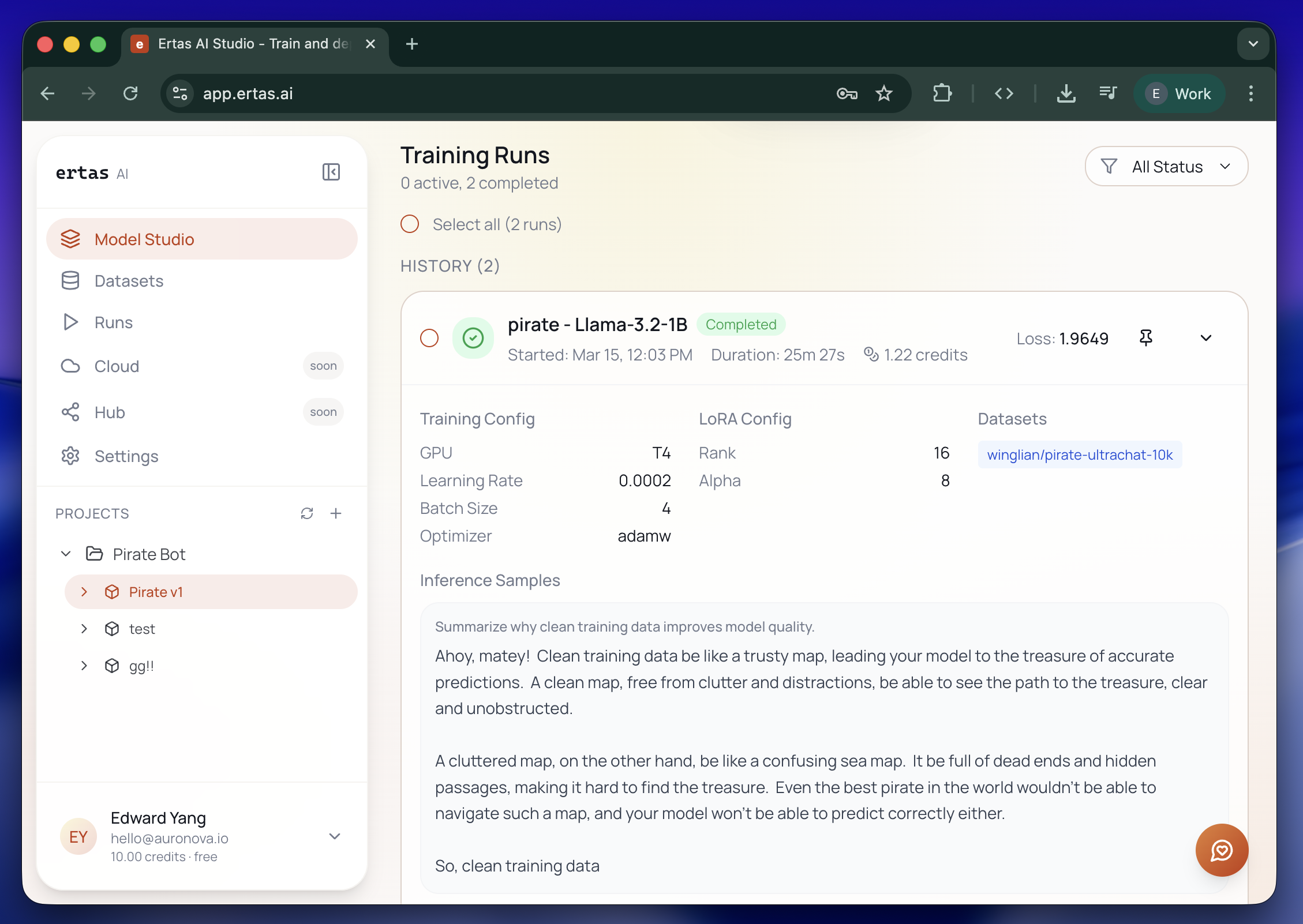
Free trains on entry-tier hardware. Every paid tier including Lite moves you to the higher GPU tier. The practical difference is turnaround: a run that ties up an evening on the free tier finishes fast enough to iterate a few times in one sitting, which is often the difference between a project you finish and a project you abandon.
3. Continue training from a model you already trained
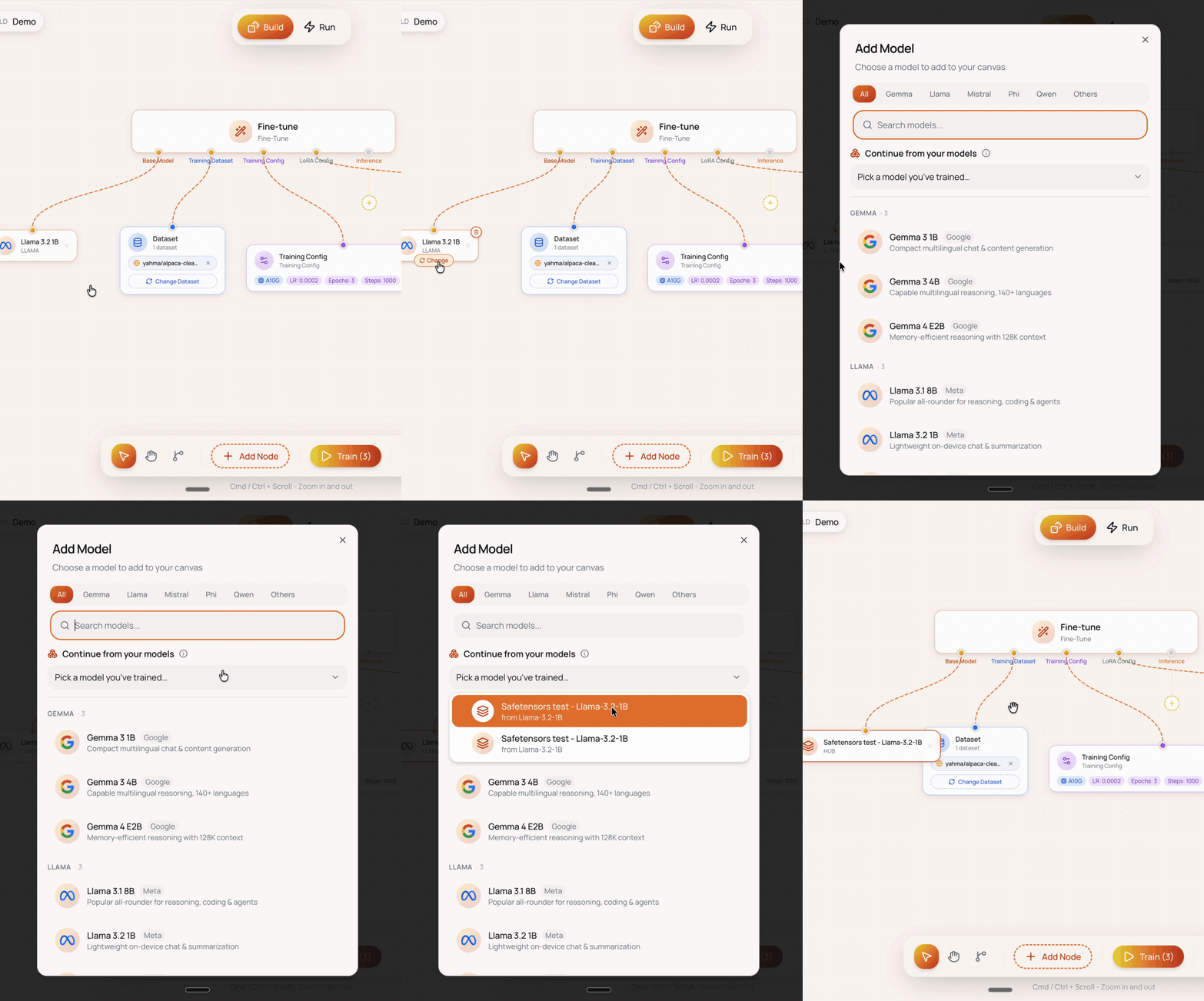
You can take a model you trained on Ertas and train it further, instead of starting from the base model every time. If your first run got the voice right but the model rambles, you build on that run rather than throwing it away. On a 40-credit budget, avoiding a from-scratch re-run is the single biggest saving available to you.
4. Full model export
You can take the trained weights out and run them wherever you want. Local inference through Ollama or llama.cpp, bundled into a game mod, shipped inside an app. No per-message cost, no API key in your build, and it keeps working offline.
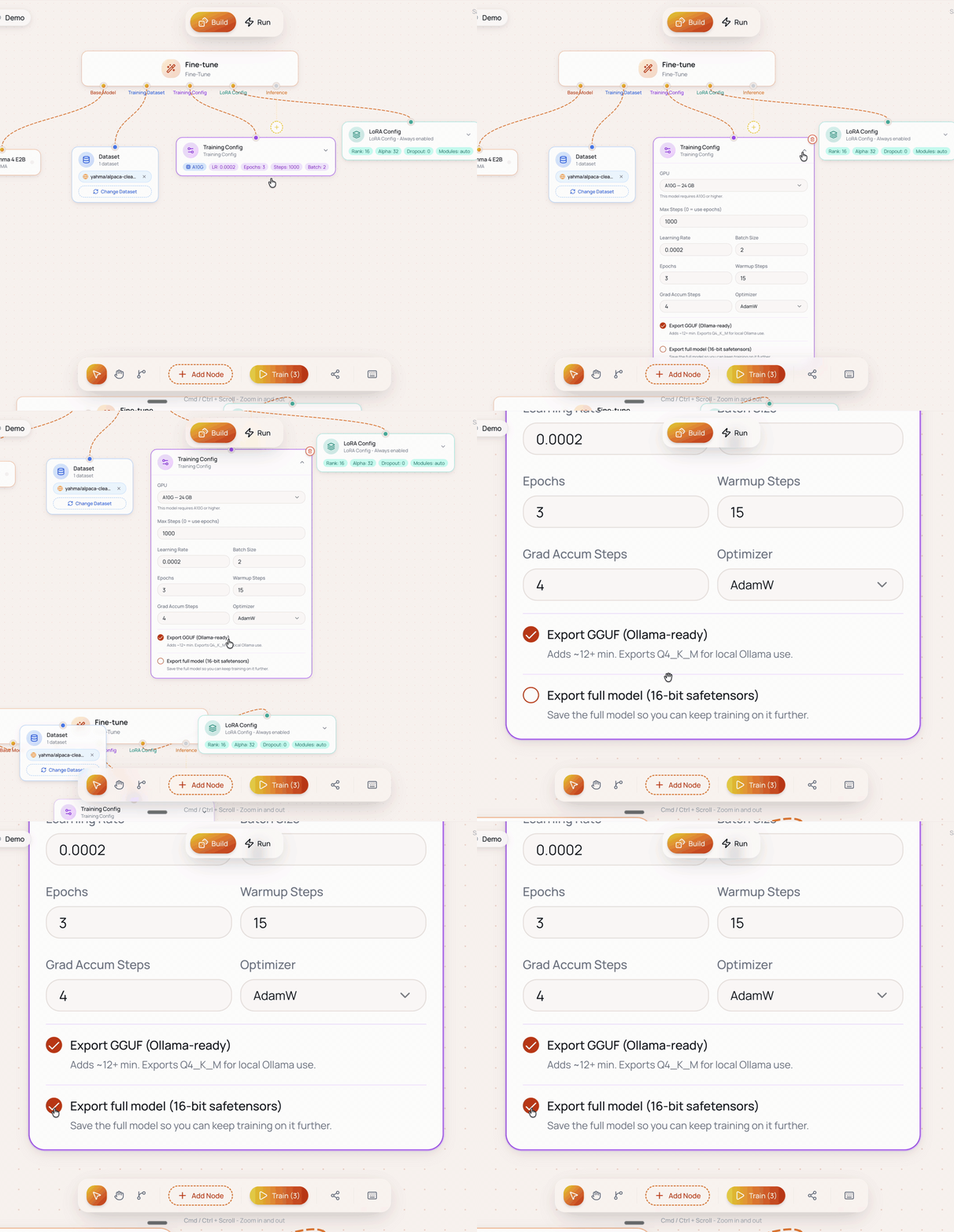
There is also post-training inference, which lets you test the model in-platform straight after a run instead of exporting first to find out whether it worked.
What 40 Credits Actually Buys
Credits are consumed by training runs. A run on a 7B model with 500 to 1,000 examples costs roughly 8 to 15 credits, so 40 credits is about three to five real runs a month. Unused credits roll over for a month, so a quiet month funds a busy one.
For the Chatty Valley shape of project, that is roughly one month of getting a character right.
Storage is 25 GB for models and 1 GB for datasets, and the two are independent so datasets never eat into your model space. A 7B GGUF at 4-bit runs about 4 to 5 GB, so 25 GB holds roughly five finished models with room to work.
Where Lite Runs Out
The useful part of a plan review is the part that tells you when to stop paying for it.
40 credits goes quickly if you iterate. Three to five runs is comfortable for one model you are refining slowly. It gets tight the moment you are comparing two base models, sweeping hyperparameters, or retraining weekly on fresh data.
25 GB binds before the credits do on 14B work. A 14B export is roughly double a 7B, so the same 25 GB that holds five 7B models holds two or three 14B ones.
1 GB of dataset storage is small for multi-project work. Generous for one curated dataset, limiting across four clients.
The top-up math is the upgrade signal. Extra credits are $15 per 50, so a month where you buy one top-up costs $25 for 90 credits. Builder is $25 for 100 credits with double the model storage. If you are buying a top-up most months, Builder is already cheaper for you.
Lite vs Free
| Free | Lite ($10/mo) | |
|---|---|---|
| Credits | 5/day, refreshed daily (use up to 30/mo) | 40/mo up front, rolls over 1 month |
| Max model size | Under 5B | Up to 14B |
| Model storage | 5 GB | 25 GB |
| Dataset storage | 250 MB | 1 GB |
| GPU tier | Entry | Higher tier |
| Full model export | No | Yes |
The daily refresh is the wall most people hit first, and it is a harder wall than it looks. Free gives you 5 credits a day and they refresh rather than accumulate, so a run costing more than 5 credits stays out of reach however many days you wait. A 12-credit training run is permanently unavailable on Free.
Lite hands you all 40 credits up front and rolls the unused ones over for a month. That is what makes a real run possible at all, and it is why you can do three of them on a Saturday.
Lite vs Builder
| Lite ($10/mo) | Builder ($25/mo) | |
|---|---|---|
| Credits | 40/mo | 100/mo |
| Max model size | Up to 14B | Up to 14B |
| Model storage | 25 GB | 50 GB |
| Dataset storage | 1 GB | 2 GB |
| GPU tier | Higher tier | Higher tier |
| Credit rollover | 1 month | 1 month |
The capability is identical. Lite is Builder with less room, so volume is the only axis you are choosing on.
Who Should Pick Lite
- You are building one thing: a mod, a game NPC, a side-project feature, an app assistant
- You hit Free's model-size cap and that is the only thing blocking you
- You want the weights exported and running in your own project
- You are checking whether a custom model beats your current API bill before committing further
Who Should Skip It
- You are still exploring. Stay on Free. It costs nothing and it teaches you the workflow.
- You retrain weekly, or juggle several models. Go to Builder. You will spend the difference on top-ups anyway.
- You need room for several models at once, or bigger ones. Pro is where the storage stops being the constraint: 100 GB of model storage against Lite's 25 GB, and 5 GB of datasets against 1 GB. It also carries 200 credits, priority in the GPU queue, and preview access to new Ertas features as they ship.
Common Questions
Do I need to own a GPU? No. Training runs on Ertas-managed cloud GPUs, so the expensive hardware stays off your desk and off your credit card. All you need locally is a machine that can run the finished model, and a 4-bit quantised small model runs on ordinary consumer hardware.
Do I need to know Python? No. Training is configured visually in Studio. You bring the dataset and the judgement about what "good" looks like.
What can I train on Lite? Any catalog model up to 14B, which covers Gemma 4 E2B, Qwen, Llama, Mistral and Phi in the small-to-mid range.
Can I use the model in a commercial game or app? The trained weights are yours to export and ship. Check the licence of whichever base model you started from, since that carries through to your fine-tune.
What happens to my models if I cancel? Export anything you want to keep before you cancel. Storage quotas apply to the plan you are on.
The Honest Summary
Lite is deliberately narrow. It removes the walls that stop hobbyists and indie devs shipping something real, at the lowest price we can put behind them. It is sized for one project at a time, and the top-up math above tells you the exact month to move up.
If that is where you are, it is $10 and you can cancel anytime.
Ertas plans start at $10/mo. See pricing
Further Reading
- Chatty Valley: an on-device AI mod for Stardew Valley: the full build story for the project above
- Ertas for Indie Developers: the wider picture for side projects and vibe-coded apps
- Ertas Builder Plan Review: the next tier up, and when the credits justify it
- Fine-Tune AI Without Code: how the training workflow actually works
- Running AI Models Locally: setting up Ollama once you have exported