Sharing a canvas
Share a recipe by link so anyone can preview it without signing in, and import it into their own workspace with an Ertas account.
You can share a recipe from your canvas as a link. Anyone with the link can preview the recipe without signing in, and anyone with an Ertas account can import it into their own workspace and run it. It is the fastest way to hand a working setup to a teammate, publish a starting point, or get a second pair of eyes on a run.
Share a recipe
Open the share dialog
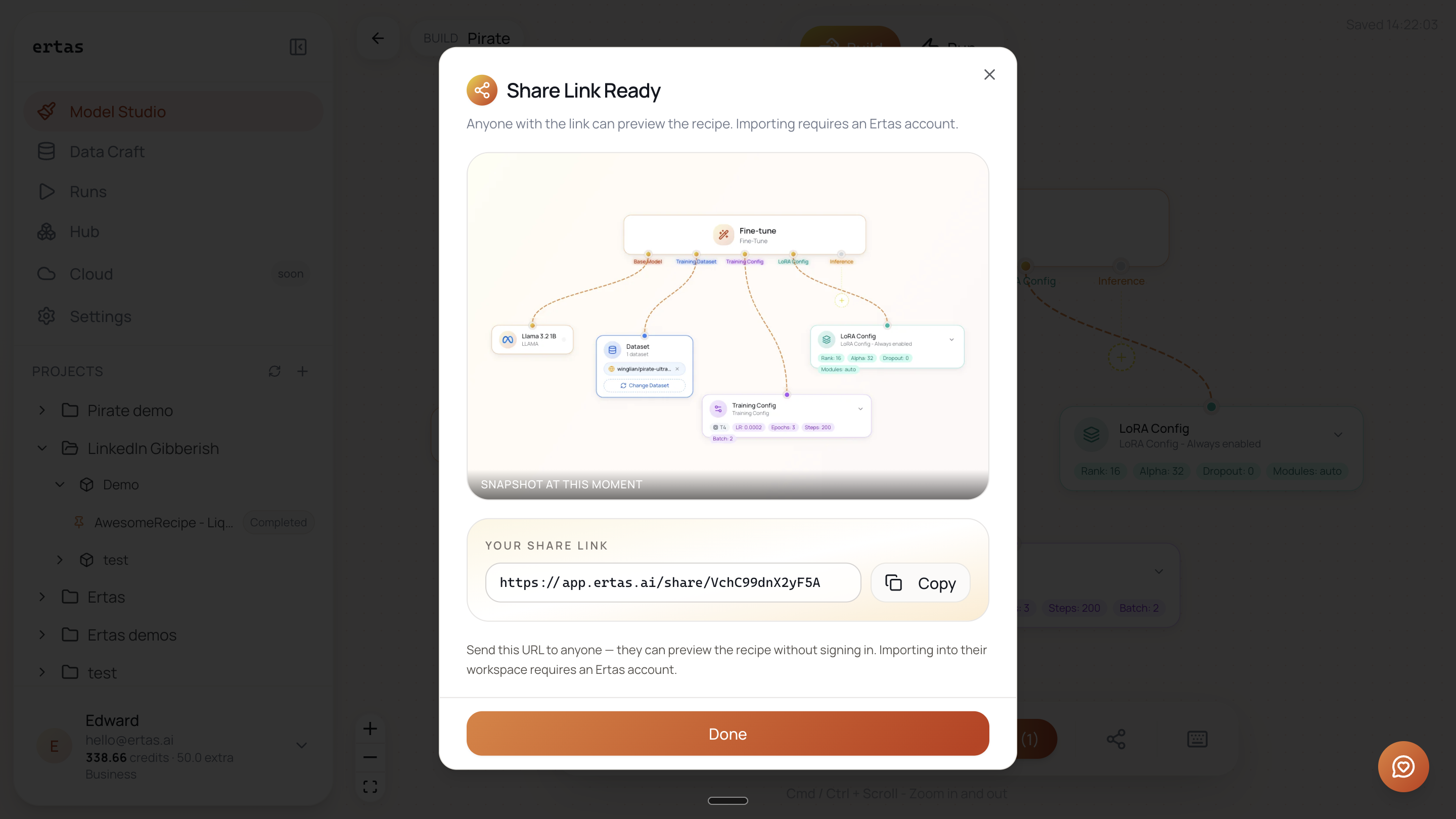
On the canvas, click the share icon in the bottom toolbar. Ertas generates a link and opens the Share Link Ready dialog.
Copy the link
The dialog shows a preview of the recipe and a share URL like https://app.ertas.ai/share/VchC99dnX2yF5A. Click Copy and send the URL to anyone.
What the recipient sees
Opening the link shows a read-only preview of the recipe: the Action Module and its legs (base model, dataset, training config, LoRA config), exactly as they were at the moment you shared. No sign-in is required to look.
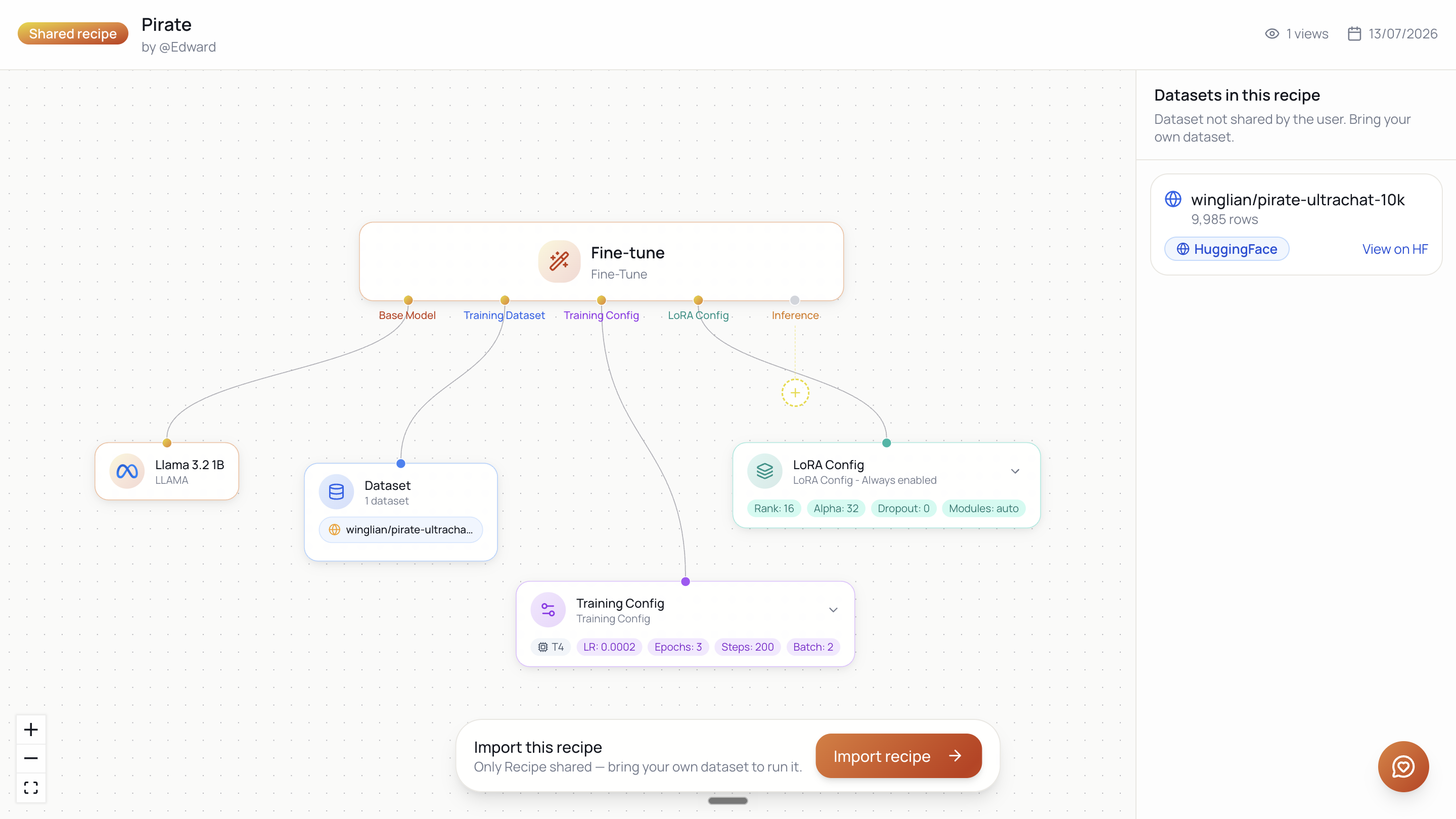
To do anything beyond looking, the recipient imports it. Importing requires an Ertas account (the free tier is fine): once signed in, they import and the recipe lands in their own workspace as a new module they can edit and run. If they have no project yet, Ertas creates one during import.
Shares are snapshots, not live documents
A share captures the recipe as it was at share time (the dialog labels it "Snapshot at this moment"). If you change the recipe afterwards, the existing link keeps showing the old snapshot. To share the updated version, open the share dialog again and send the new link.
This also makes a share safe to hand out: it does not expose your live canvas or let anyone change your project. It is a frozen copy.
Coming soon: real-time collaboration. Live presence on the canvas (cursors, selection), per-account permissions, and team-scoped projects with Owner, Editor, and Viewer roles. Snapshot sharing (this page) is the shipped way to share today; real-time co-editing is on the roadmap.