Safetensors overview
The three safetensors artifacts behind every Ertas run, the two ways to get the merged full model, and when safetensors beats GGUF as the deployment artifact.
Safetensors is the standard weights format of the Hugging Face ecosystem: a fast, memory-mappable container for model tensors that, unlike pickle-based checkpoints, cannot execute code on load. Transformers, PEFT, and vLLM all read it natively. Where GGUF is the artifact Ertas exports for on-device runtimes, safetensors is the format everything upstream of that export speaks: the base model you train from, the LoRA adapter your run produces, and the optional full-model export are all safetensors files.
This page covers the three safetensors artifacts a run touches, the two ways to obtain the merged full model, and when safetensors rather than GGUF is the right thing to deploy. For the on-device side of the story, see GGUF overview.
One format, three artifacts
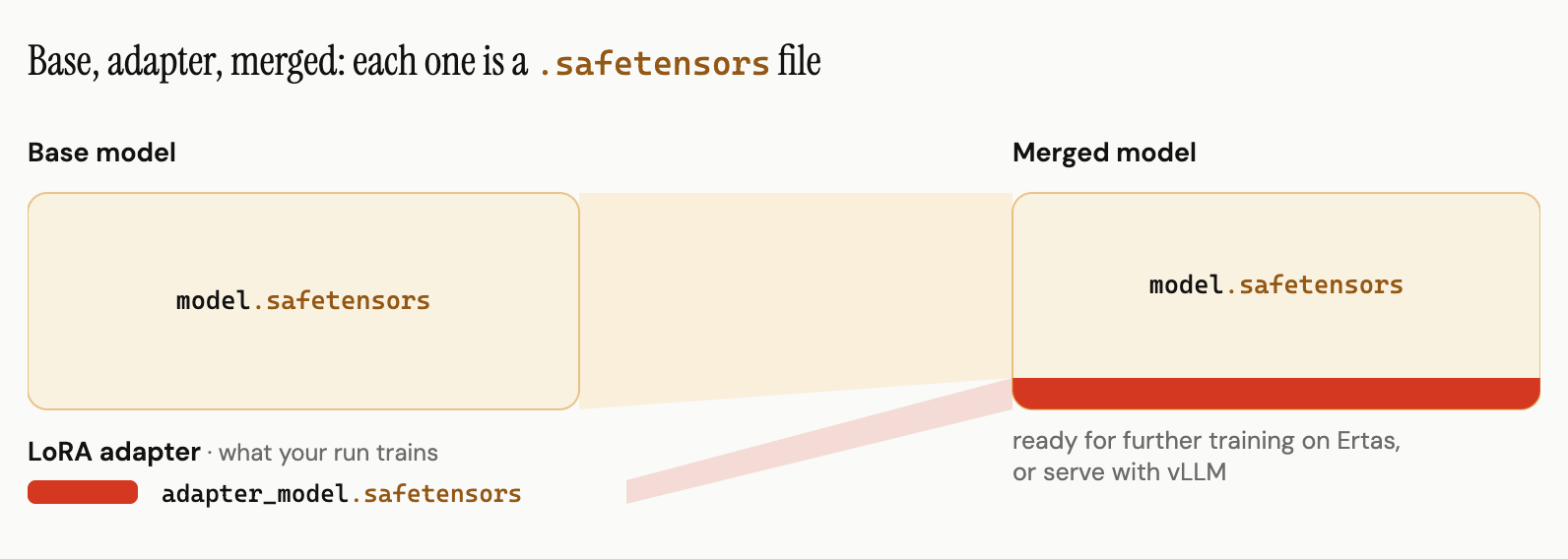
| Artifact | What it is | Size |
|---|---|---|
| Base model | The open model's original weights, stored as safetensors. | Full model size, roughly 2 bytes per parameter in 16-bit. |
| LoRA adapter | The adapter your run trains, adapter_model.safetensors inside the LoRA bundle. | Tens of MB regardless of base size. |
| Merged model | Base plus adapter merged into one standalone 16-bit checkpoint. | Full model size, same as the base. |
A training run never rewrites the base model. It trains the small adapter, and merging folds the adapter's effect into a copy of the base weights, producing a checkpoint that behaves like base-plus-adapter without any PEFT machinery at load time. All three artifacts are the same format at very different sizes: the adapter is a sliver, the base and the merged model are the full weights.
Do not confuse the LoRA bundle's adapter_model.safetensors (just the small adapter) with the full safetensors export (a complete 16-bit model). The adapter is what you re-merge in code; the full export is what you serve or keep training from. File sizes and formats has the exact numbers for both.
Getting the merged model
At config time: the primary path
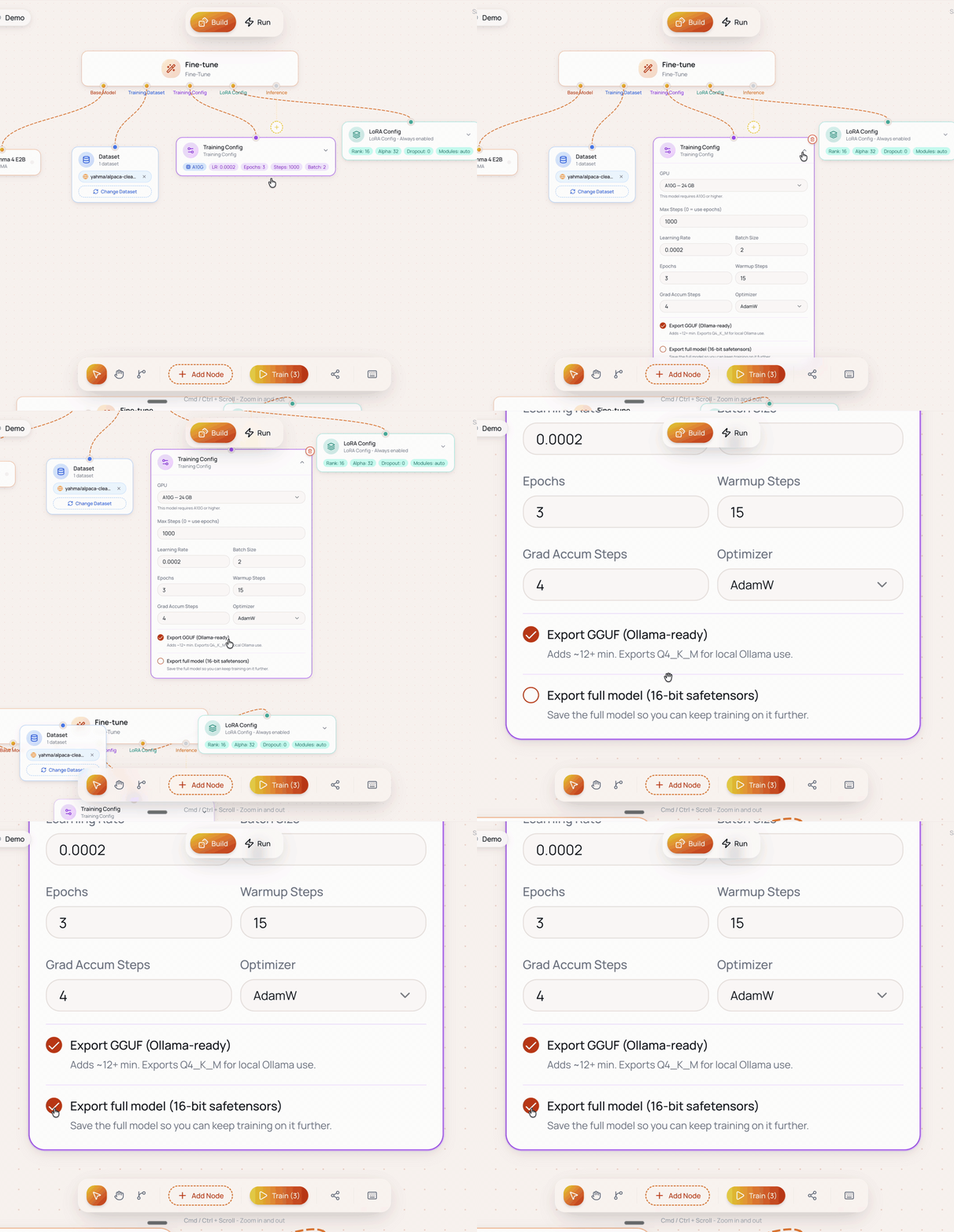
Tick Export full model (16-bit safetensors) in the Training Config before you queue the run. When the run completes, the merged checkpoint lands in Hub alongside the LoRA adapter, labelled Safetensors in the per-artifact downloads. The export is a complete checkpoint directory: the weights (sharded into multiple safetensors files for larger bases), config.json, and the tokenizer files, loadable directly by Transformers or vLLM.
The full export is the largest artifact a run can produce (roughly fp16 size, about 16 GB for an 8B base) and counts against your Hub storage quota. See Storage for the quota math.
After the run: the recovery path
A forgotten toggle is not a dead end. The LoRA adapter in Hub plus the base model's public weights are enough to reconstruct the merged checkpoint on your own machine:
Download the LoRA bundle
Open the completed run in Hub and click LoRA. The bundle contains the adapter weights and the adapter config.
Merge into the base
In your own Python environment, load the base model with Hugging Face Transformers, attach the adapter with PeftModel.from_pretrained(), call merge_and_unload(), and save the result as safetensors.
The result is the same merged checkpoint the export toggle would have produced. This is also the first half of the local GGUF conversion path documented in Quantization.
One thing the recovery path does not give you: a Hub entry. Continue from your models picks from the exports saved in Hub, so if the plan is to use this model as the base for a future Ertas run, set the toggle when you queue the run instead of merging after the fact.
From safetensors to GGUF
If you need an on-device artifact after the fact, llama.cpp converts a merged safetensors checkpoint to GGUF:
python3 convert_hf_to_gguf.py /path/to/merged --outfile model.fp16.gguf --outtype f16Then quantise the fp16 GGUF to the level you want with llama-quantize. The full four-step walkthrough, including the merge step if you are starting from the adapter, is in Quantization.
The conversion only runs in one direction in practice. Quantising throws away precision, so a Q4_K_M GGUF cannot recover the original 16-bit weights. Keep the safetensors export, or the LoRA adapter, as your source of truth and treat GGUFs as derived outputs.
Best practice for server deployment
If the model's destination is a server GPU rather than a device, plan for it at config time: select the safetensors export before training rather than relying on the post-run merge or on converting between formats afterwards. You get a deployment-ready checkpoint the moment the run completes, and the 16-bit weights leave quantisation decisions to the serving stack instead of baking Q4_K_M in.
The dividing line between the two export types:
- GGUF for llama.cpp-family runtimes: on-device, desktop, Ollama, consumer GPUs. See GGUF overview.
- Safetensors for GPU serving stacks: vLLM and other Transformers-compatible servers, where 16-bit checkpoints win on tokens per second per dollar.
Using a merged model as the next base
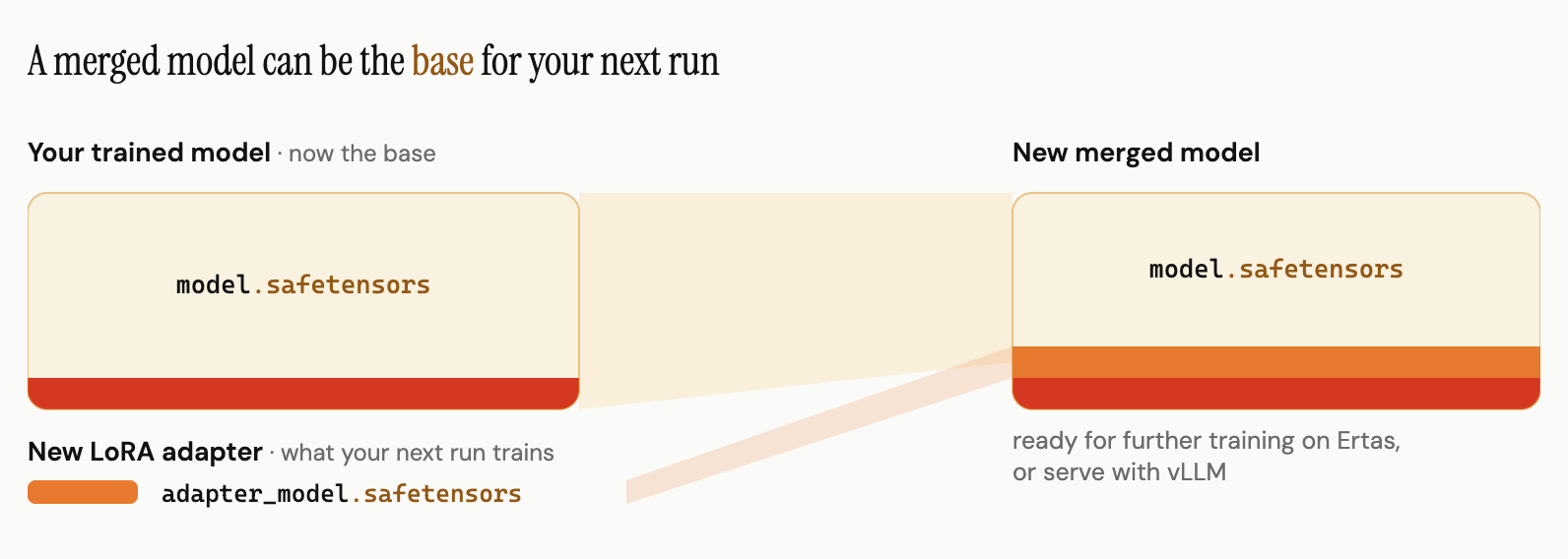
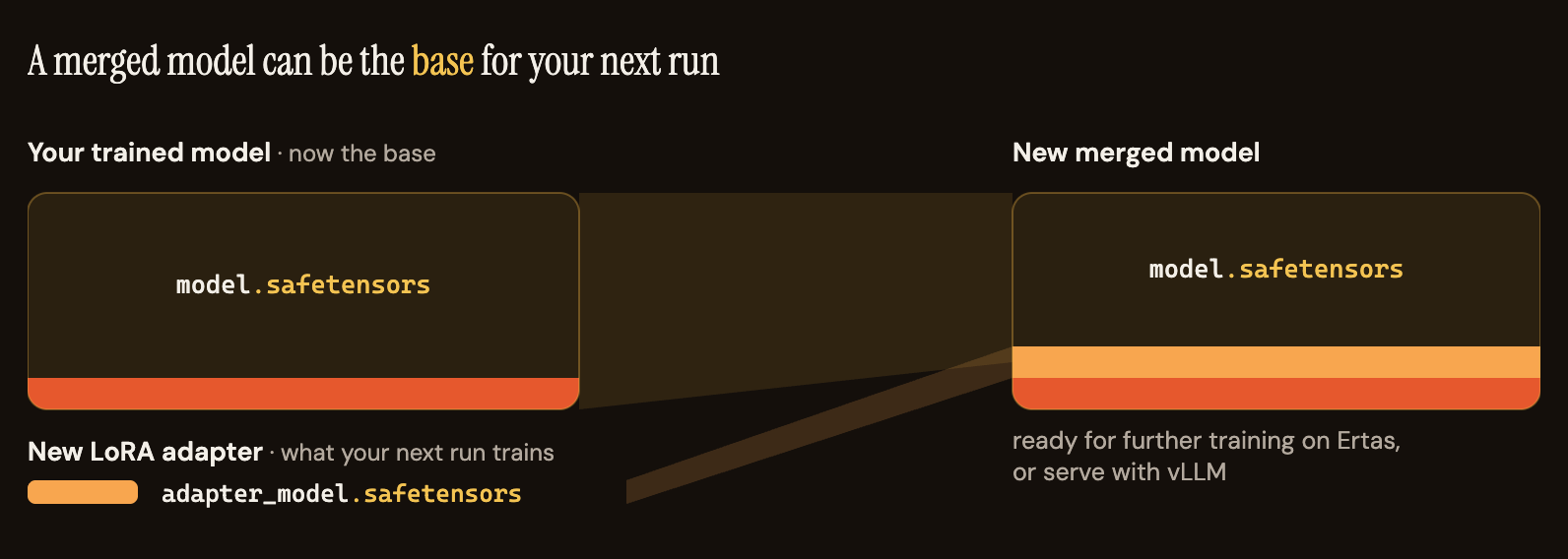
A merged model is a complete model, which means it can be the base for your next run. On a new Fine-Tune module, open the Base Model picker (Add Model) and use Continue from your models, then Pick a model you've trained. The next run keeps your merged weights frozen and trains a new LoRA adapter on top of them; merging that adapter produces a new merged model carrying both runs' training, one layered on the other. Each cycle folds one more adapter into the checkpoint.
See Train from your own trained model for the full workflow and when to reach for it.